















 ᴀʟʟ ɪɴ ᴏɴᴇ ɢᴀᴍɪɴɢ
  ᴛᴇʟᴇɢʀᴀᴍ ʙᴏᴛ
  ꜱᴘᴏʀᴛ ᴛᴠ


Incorrect username or password
Re-enter your details carefully and check whether your keyboard has Caps Lock enabled. Avoid repeatedly guessing the password.
Learn how to access your TONY99 account, check common login problems and protect your account information when using a mobile device or desktop browser.
Create or Access TONY99 AccountAccess TONY99 through the website address you normally use. Check the spelling of the domain before entering any account information.
Select the login option and enter your registered username and password in the correct fields.
Make sure there are no extra spaces or typing mistakes. Passwords may be case-sensitive, so capital and lowercase letters must be entered correctly.
Submit the login form. If the information is correct, you can continue to your account area and review the available platform features.
Re-enter your details carefully and check whether your keyboard has Caps Lock enabled. Avoid repeatedly guessing the password.
Use the available password recovery option or contact customer support through the TONY99 website for account assistance.
Check your internet connection, refresh the page or try a current version of a supported mobile or desktop browser.
Contact customer support and provide only the information needed to verify the account. Never share your password with anyone.
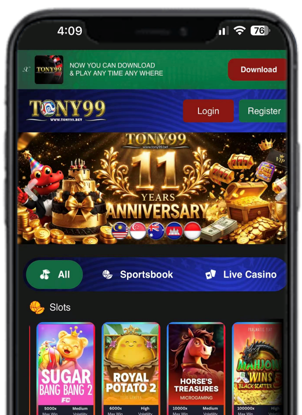
TONY99 can be accessed using a compatible mobile browser. For a more reliable experience, keep your browser updated and use a stable internet connection.
Use a password that is difficult to guess and different from the passwords used for your email or social media accounts.
Do not share your password, security code or account verification information through unofficial messages or websites.
If you notice unfamiliar account activity, change your password and contact customer support as soon as possible.
Do not enter login information after opening an unknown or suspicious link received through a message or advertisement.
Prepare your registered username and a clear description of the problem. Customer support may request appropriate verification, but you should never provide your account password to another person.
Use the login option on the TONY99 website. If you do not have an account yet, use the account access button in this guide to register first.
Common causes include incorrect details, typing errors, an unstable connection or a temporary account restriction. Check your information before contacting support.
Yes. You can use a compatible mobile browser and a stable internet connection to access the website.
No. Keep your password private. Use the official support channel for assistance and provide only the required verification details.
Continue reading related TONY99 guides for Malaysia, Singapore and Australia users.